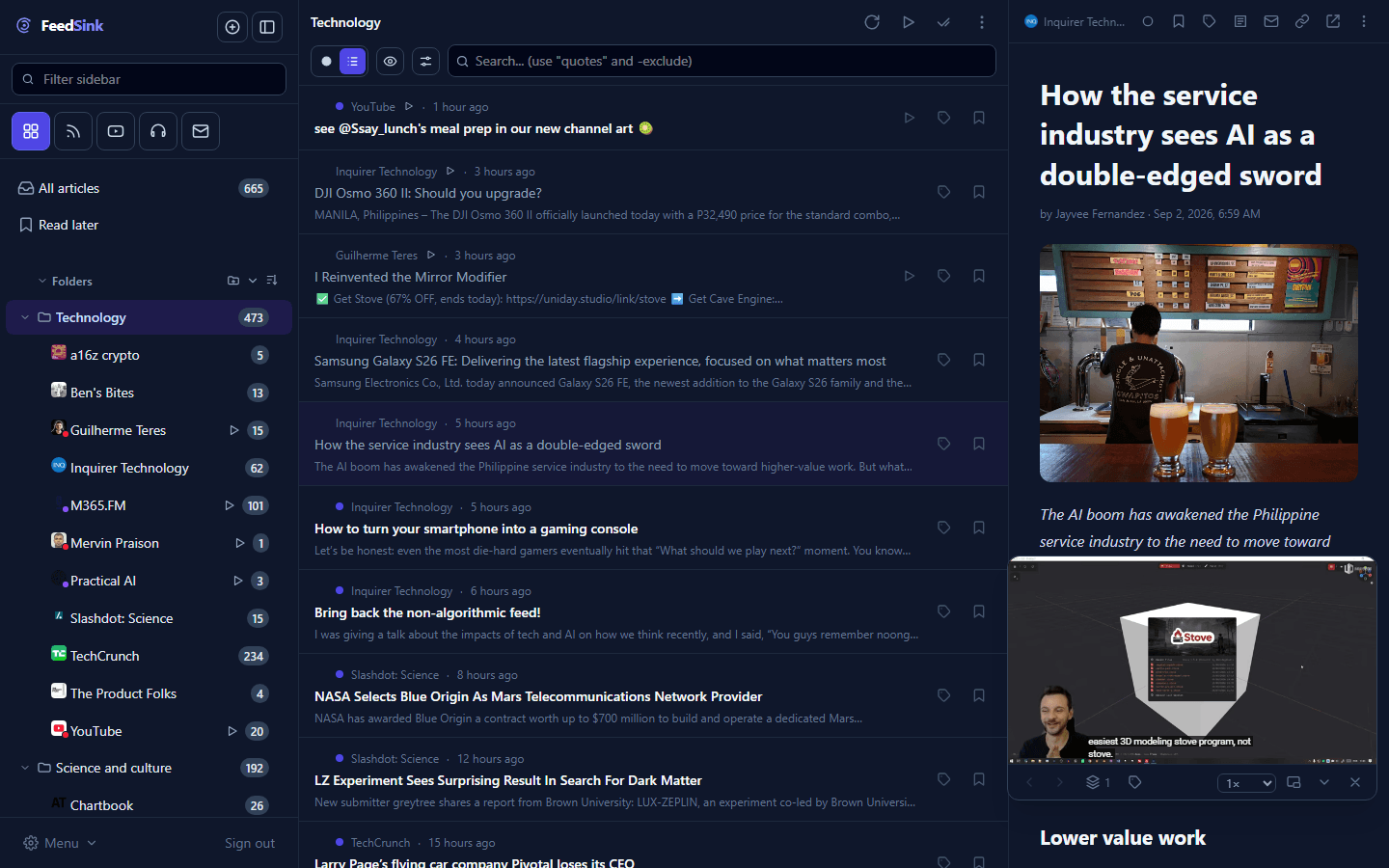
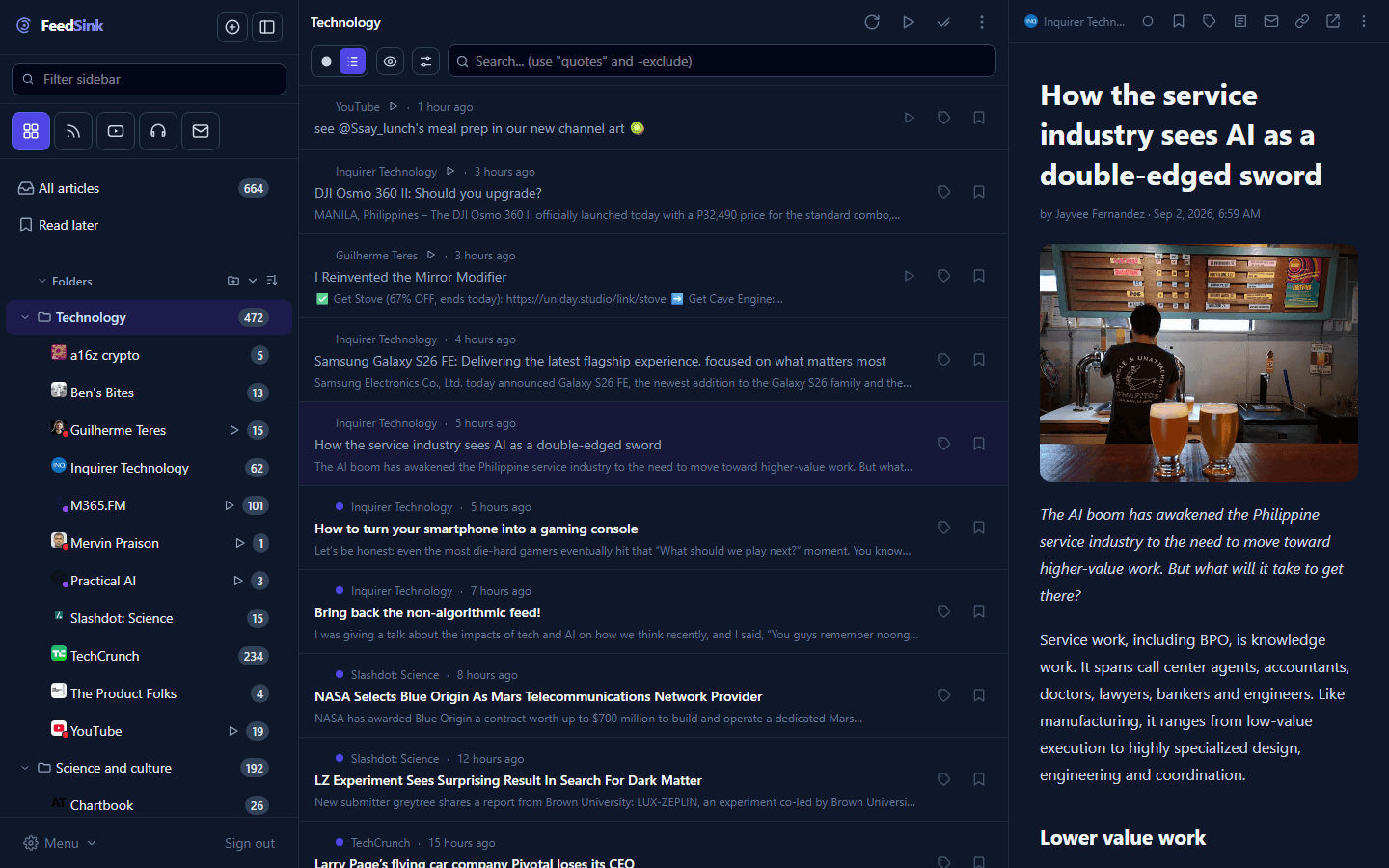
Websites, YouTube, podcasts and newsletters arrive in one place. Organise subscriptions into folders and collections, follow threads across sources with topics, and keep what matters as part of your archive.
A website here, a channel there, the newsletter in your inbox, the podcast in another app. Keeping up becomes a job of opening and closing things.
The algorithm picks for you
Every platform decides what to show and what to bury. What you chose to follow gets lost in what it wants you to see.
The good stuff disappears
That piece worth keeping slips down the scroll. A week later, nobody can find it.
How it works
1
Choose what to follow
Ready-made topics from the catalog, in six languages — or any address you point it at: a website, a YouTube channel, a podcast, a newsletter.
2
Read, watch and listen in one place
Each source becomes a subscription. It lives in a folder, can belong to collections, and gets topics so you can find what crosses your sources. Want only videos, podcasts or newsletters? Filter by type.
3
Keep what matters
Save content to a list or turn it into a note in your vault. When full content is available, the reader also keeps its version history.
From article to vault in one gesture
What deserves to stay leaves the reading view and reaches Obsidian already organised, with no copying and pasting.
Save as a note, already in the right place
Open the three-dot menu on any article and choose “Save as note”. FeedSink suggests the default folder you set, but you can search any part of a path and switch destinations before saving.
1.Choose “Save as note” on the article.
2.Confirm the default folder or find another one by name or path.
3.The note is created with title, content and source, ready to continue in your vault.
An article menu with the Save as note action and the vault destination picker.
From the web to FeedSink without breaking your flow
The Chrome extension saves the page you are viewing even when it did not come from a subscription. It goes straight into FeedSink; from there, you can put it in a list or turn it into a note in your vault.
The FeedSink Chrome extension ready to save an open web page.
Your vault stays yours
The FeedSink plugin syncs the notes you choose with an Obsidian-compatible vault. You choose the folders and keep using your files and organisation, including outside the platform.
Vault sync preferences between FeedSink and Obsidian.
What exists today
Everything on this page is already live. The screens below are the product, not a mockup.
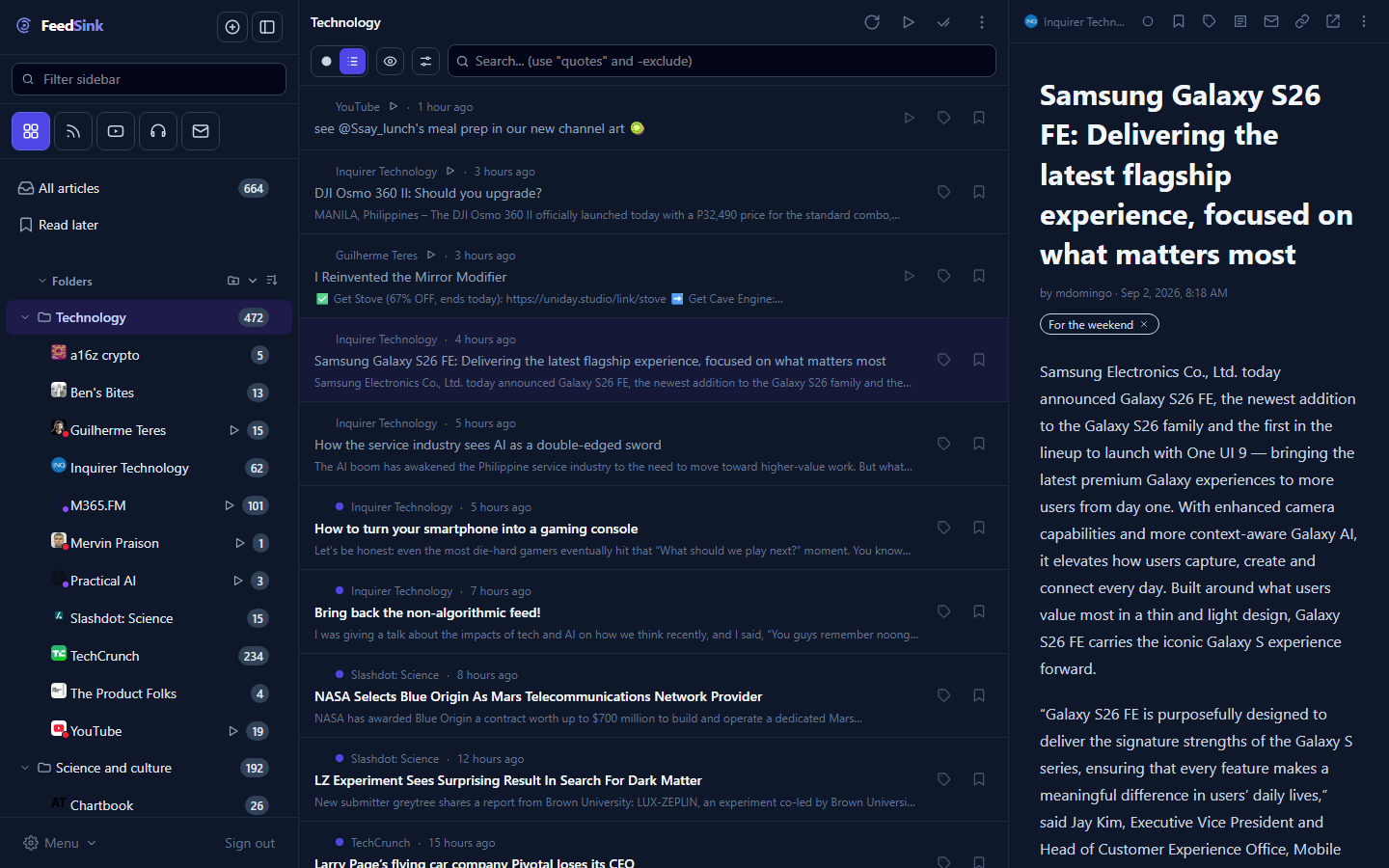
A clean reader, with everything together
Websites, YouTube channels, podcasts and newsletters arrive as subscriptions. Each subscription lives in a folder, can appear in collections, and can be found through topics that cross sources. A filter shows one type at a time.
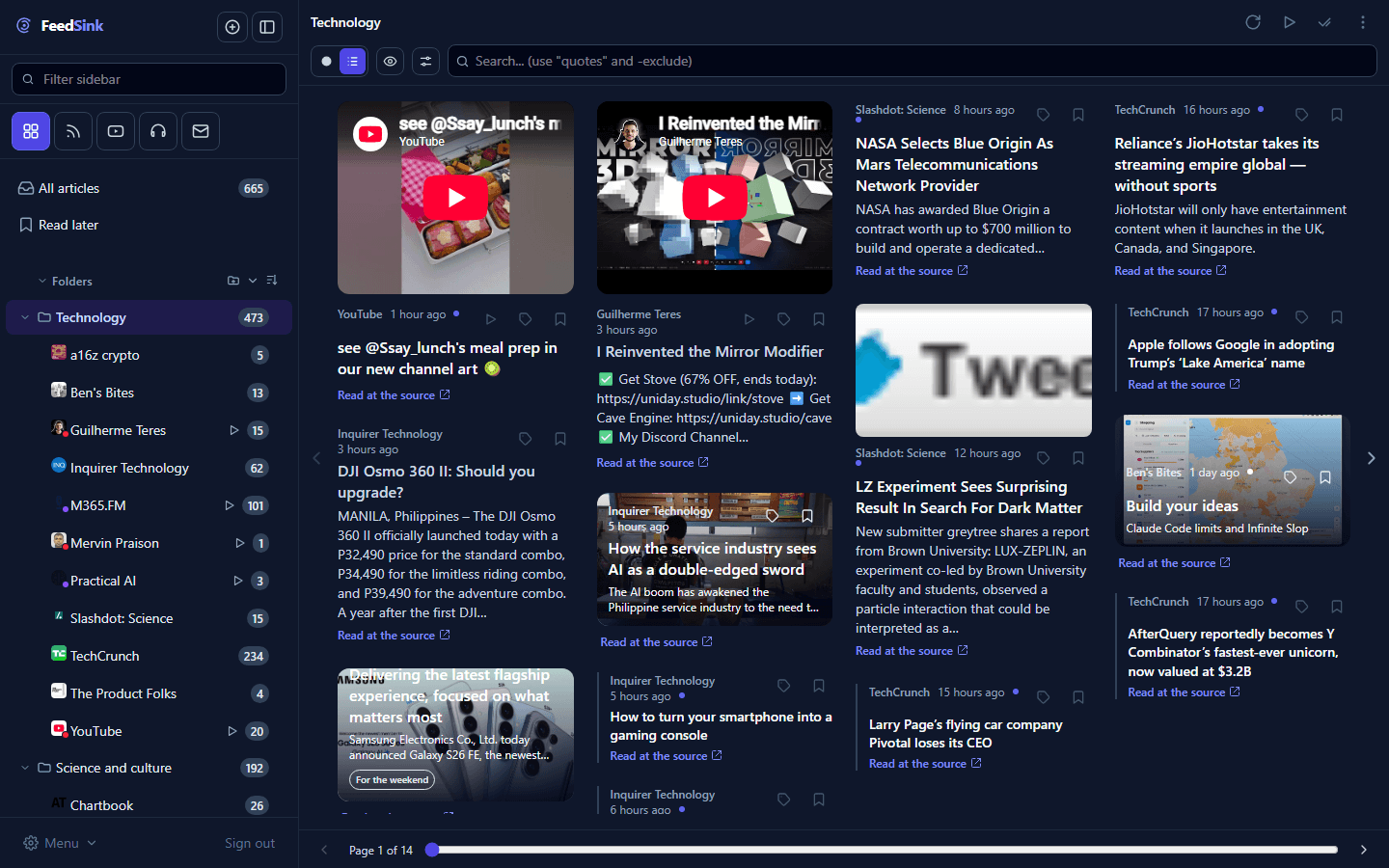
Magazine mode
Recent articles become a laid-out issue: a cover, a lead story in columns, teasers with photos and headlines — made to flip through, not to scroll. A long story continues on the next page.
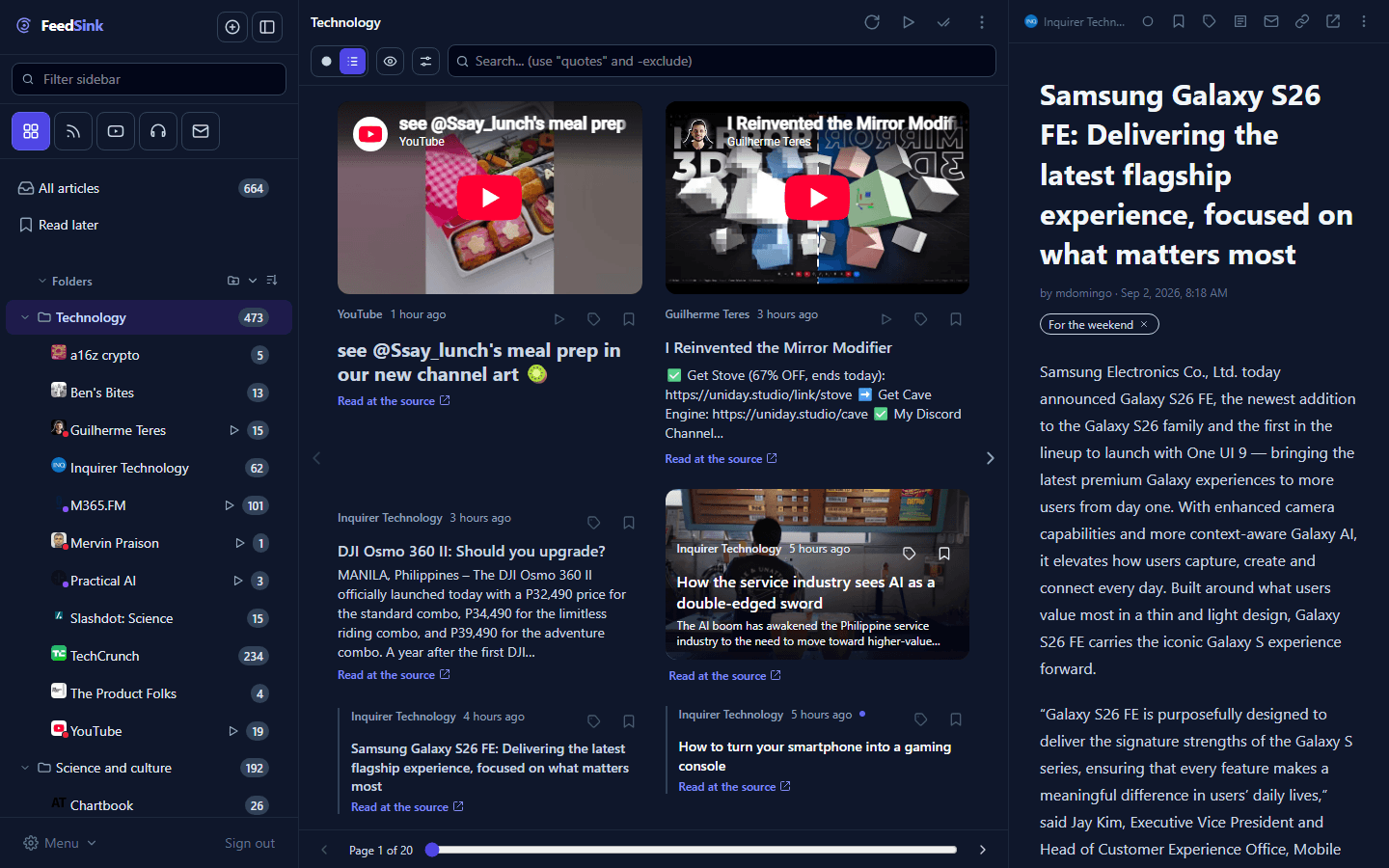
The magazine with the reading panel
Click a teaser and the story opens in a panel beside the page, without leaving the issue: read it whole, go back to the page and keep flipping.
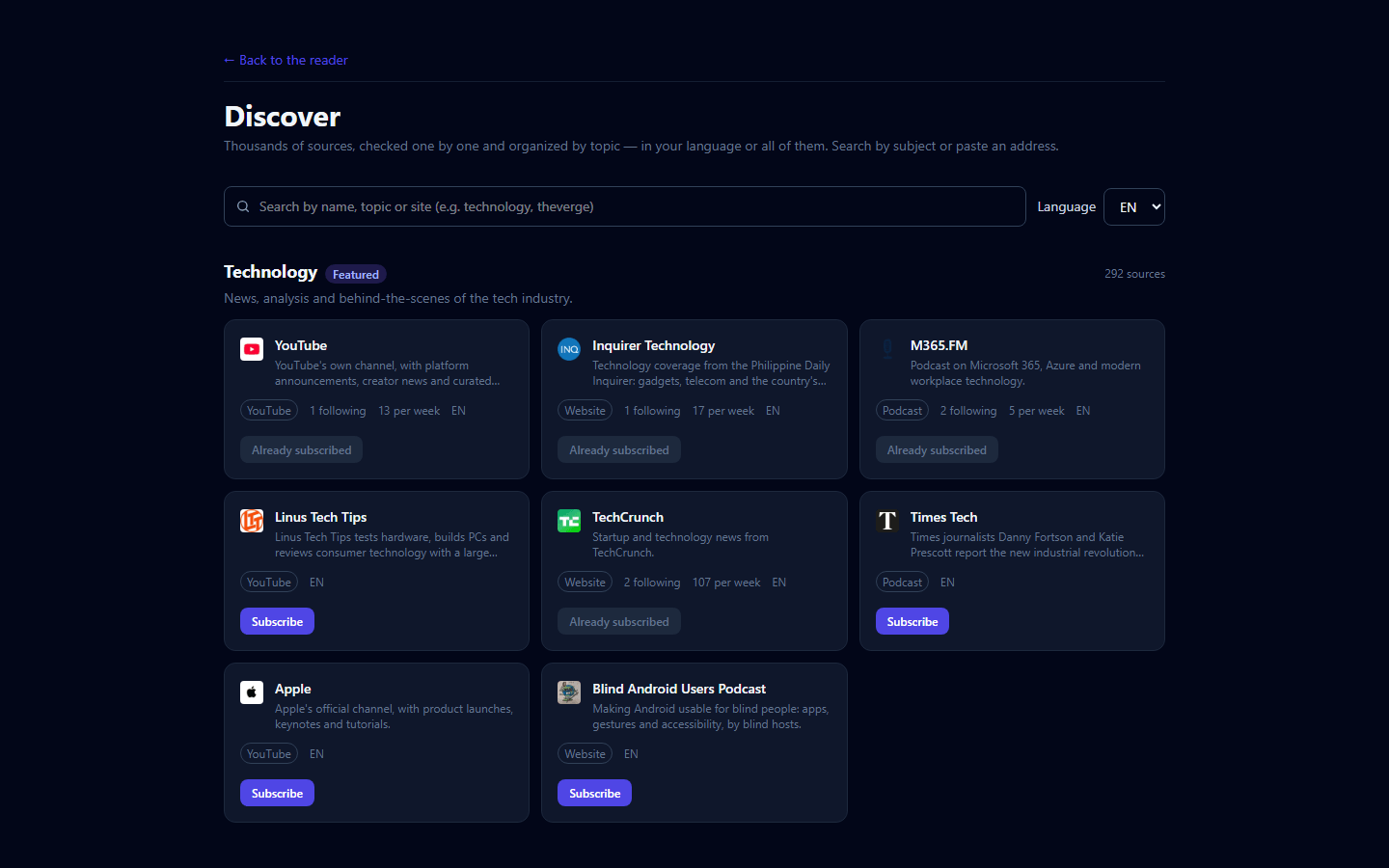
A catalog by topic, in six languages
Technology, science, culture, business, sports and dozens of other topics, with curated sources in English, Portuguese, Spanish, French, German and Italian. One click follows a whole topic.
Floating video and a play queue
A YouTube video or a podcast episode moves to a floating frame and keeps going while you read the rest. The queue plays one after another.
Full content, with version history
A feed that only sends half stops being a problem: the whole text comes into the reader. And every refetch keeps a snapshot of how the article was published — so you can see what the source changed afterwards.
And also
Lists
Save content into named lists — “for the weekend”, “references” — and find it again later.
Chrome extension
Save the open browser page to FeedSink even when it did not come from a subscription.
Put first what matters most
You decide the sources and the order, and filter by type — put first what matters most. Nothing decides for you.
Email digests
One email with what arrived in a collection or list, at the pace you choose.
Rules and filters
Rules mark, tag and archive on their own. Filters hide what you do not want to see.
Topic monitoring
Follow a name, a brand or a subject across public sources and get only what is new.
Full-text search
Find in seconds anything that came through here: by word, subscription, topic, folder, collection or tag.
Share
Send an article by email or by link, with the full text and the source always visible.
One subscription, everything included
These are the limits — and what is on this page is what you get.
Monthly
R$ 29,00 per month
✓3,500 subscriptions: websites, YouTube channels and podcasts
✓30 newsletters inside the reader
✓Unlimited folders, collections and lists
✓Watch and listen while you browse — the video stays in the floating frame.
✓Build queues and playlists.
✓Share the whole article by email — the recipient reads it without signing up.
✓20 GB for your notes archive — need more? Talk to us.
Compare it with any traditional reader: more subscriptions, more newsletters, your archive for good — and more than 40% cheaper.
What
FeedSink
A traditional reader
Subscriptions
3,500
2,500
Newsletters
30
20
Per month
R$ 29,00
$9.99 · ≈ R$ 52
More than 40% cheaper, in Brazilian reais — September 2026 exchange rate.
And on top of that: every article with a version history, and personal notes synced with your Obsidian.
Frequently asked questions
Can I bring the sources I already follow?+
Yes. Import an OPML file from any other reader, or follow ready-made topics from the catalog and paste addresses one by one.
Does it work on my phone?+
Yes, in the browser: the screen adapts to phones and tablets, with the same reader, the same magazine and the same floating video.
How do notes get to Obsidian?+
Through a FeedSink plugin installed in your Obsidian: notes you create from articles show up in the vault, and the ones you edit there come back here.
Can I save a page that did not come from a feed?+
Yes. The Chrome extension saves the open browser page to FeedSink even when it did not come from a subscription.
What happens when I hit a limit?+
The screen tells you right then which limit is full and how much has been used — never a silent failure. Need more room for your archive? Talk to us.
Can I take my data with me?+
Yes, at any time: the OPML export hands back your subscriptions and folders in a file other readers understand, and your notes are files of your own, in an open format.
Can I cancel? What about the refund?+
You can cancel whenever you want, with no minimum term and no penalty. And there is a 7-day refund on any subscription, no questions asked — it is the consumer’s right to change their mind.
What is the waitlist?+
It is the way in for people who do not want to subscribe yet. Leave your email and you get an invite in the order requests come in, at our own pace. No card needed.
Start reading in one place
Subscribe and everything is unlocked right away. Or join the waitlist and we will let you know when the next batch of invites opens.